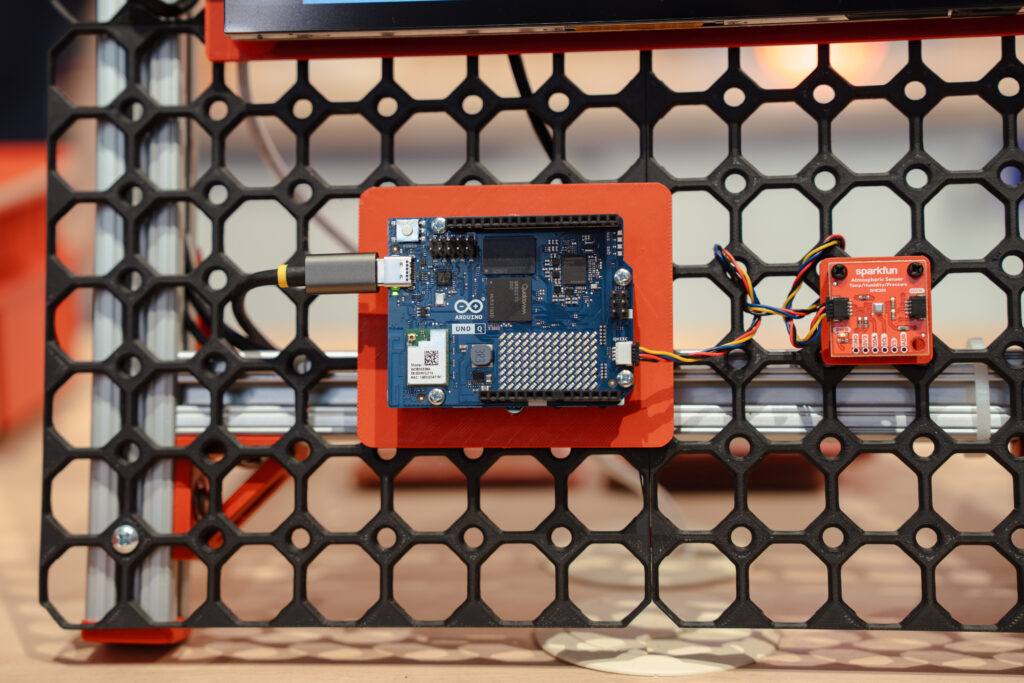
Most embedded projects don’t stay simple for long. You start with a microcontroller (MCU), reading sensors and controlling outputs. Then you add connectivity, maybe a user interface, maybe even AI. At that point, a single MCU starts to feel limiting. So you introduce a Linux-based system. Now you have flexibility – but also a new layer of complexity: two processors, two toolchains, and a growing amount of glue code just to keep everything in sync.
You want the flexibility of Linux. You need the precision of real-time control. The Arduino® UNO Q board is designed to bring these two worlds together and make this friction a thing of the past.
A dual-brain architecture gives you the best of two worlds
UNO Q combines two distinct processing environments on a single board.
A Linux-capable microprocessor (MPU) handles high-level workloads such as networking, AI inference, and application logic. Alongside it, a microcontroller manages real-time I/O, deterministic timing, and direct hardware interaction. This separation is intentional.
The MPU runs tasks that benefit from an operating system: multitasking, connectivity stacks, and model execution. The MCU handles tasks where timing and reliability are critical: reading sensors, generating signals, and controlling actuators.
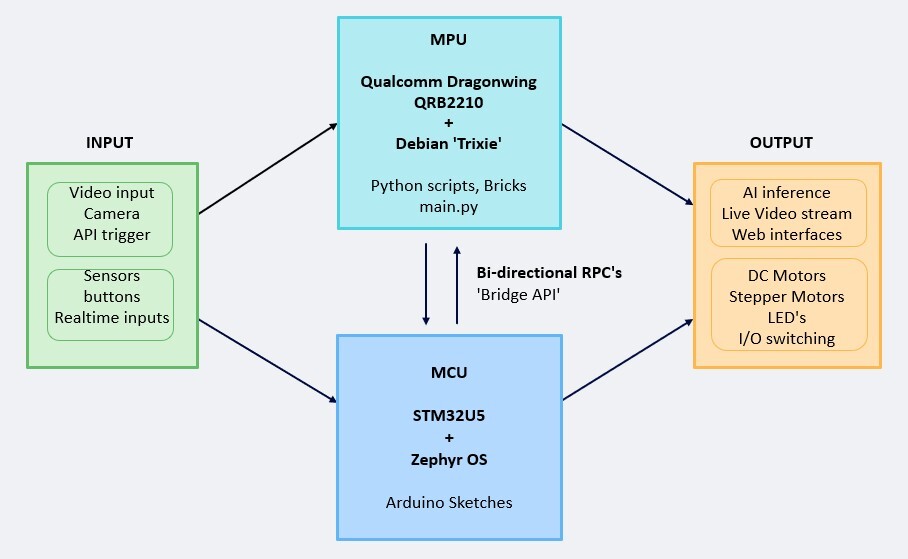
Instead of forcing one processor to do everything, each side does what it’s best at – and the magic happens when the two “talk” to each other through the UNO Q bridge mechanism.
In practice, this means your Python code can interact directly with hardware-level events handled by the microcontroller (such as a button press, change in temperature, movement, etc.), and your MCU can react to high-level decisions made on the Linux side (e.g. updating a web interface, logging data, or triggering an AI-driven response). Without complex setup, you’re working within a single, coordinated architecture.
Arduino® App Lab offers a unified application model
The dual-brain architecture enables a different coding experience – so the real shift is not just in the hardware, but in how you develop for it.
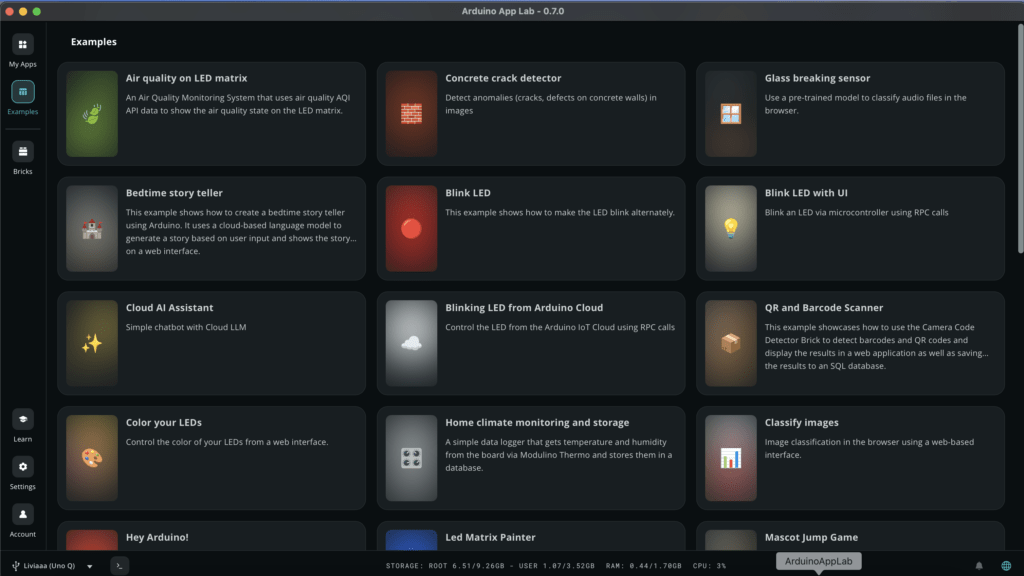
With Arduino App Lab, the MPU and MCU are exposed as parts of a single application.
Arduino App Lab provides developers with a unified, single-console environment. This centralized environment eliminates the need to switch between separate terminals or tools to monitor the two distinct environments. Within this consolidated interface, developers can monitor the logging output from both the primary application processor and the real-time microcontroller in parallel, offering a complete, time-correlated view of the entire system’s execution flow.
From a developer perspective, this removes the need to manually manage communication or synchronization between two separate systems.
The best part? If you want to see how Arduino App Lab is working behind the scenes, the Github repo contains all the source code, no secrets here! If you’re curious, just check it out here.
Arduino App Lab AI workflows bridge data insight and real-world action
Edge AI often becomes complex at the integration stage. Running a model is one thing, but connecting it to real-world signals, managing timing, and triggering actions reliably is where things usually break down.
This is exactly where the dual-brain architecture of the UNO Q changes the game. By combining an MPU running Linux with an MCU handling real-time control, you can naturally split AI workflows: the MPU takes care of model execution, orchestration, and the MCU takes the role of the king of deterministic land.
It’s not just about running AI, it’s about making it fit and work reliably inside a real system.
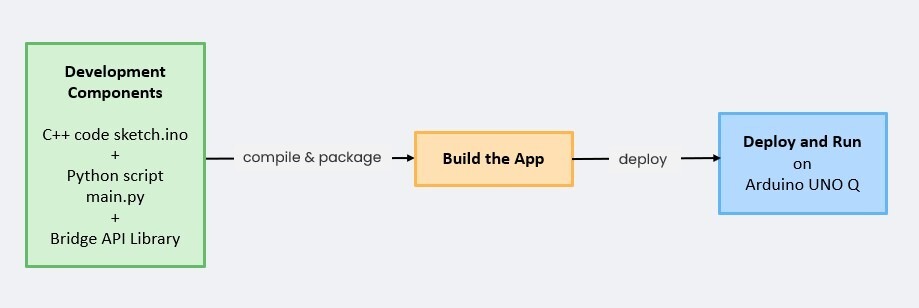
Arduino App Lab acts as the bridge between these two worlds, enabling seamless data exchange and coordinated execution across the MPU and MCU. With the integration of Edge Impulse, the path from model training to deployment becomes much more direct. You can move from data collection to inference without reworking your entire stack.
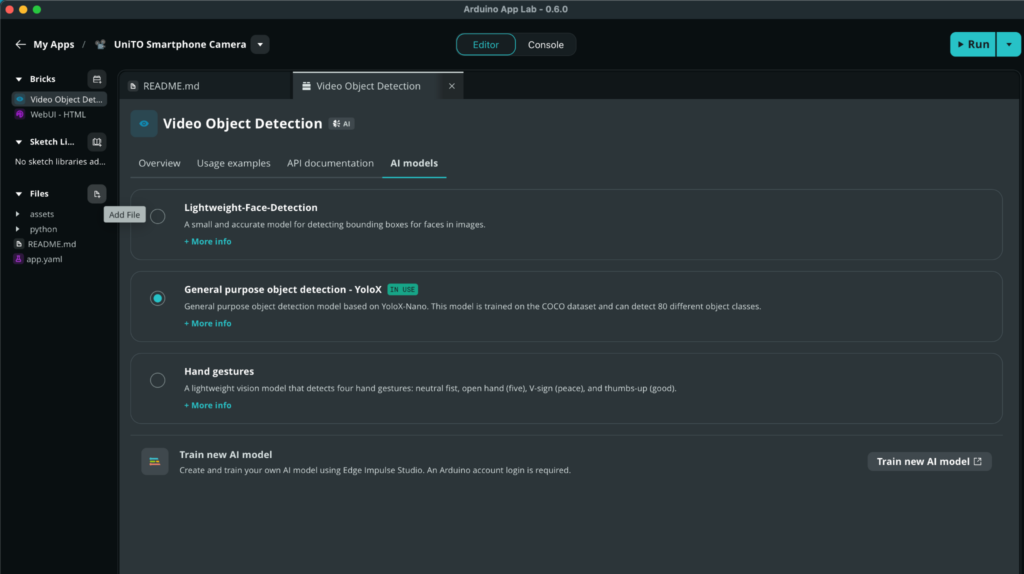
Now you can build and deploy custom models in a unified flow: start from the Arduino App Lab “Train New Model,” move to Edge Impulse for training and validation, and deploy back to Arduino App Lab – ready to run across the dual-brain system, from insight to action.
You can even switch between different models with a simple click of the mouse!
If you want to explore the full workflow step by step, you can dive deeper into the dedicated article on training and deploying AI models in App Lab, as well as the overview of the expanding UNO Q ecosystem.
From architecture to applications
This dual-brain approach is not just theoretical – you can already see it in action across different types of projects.
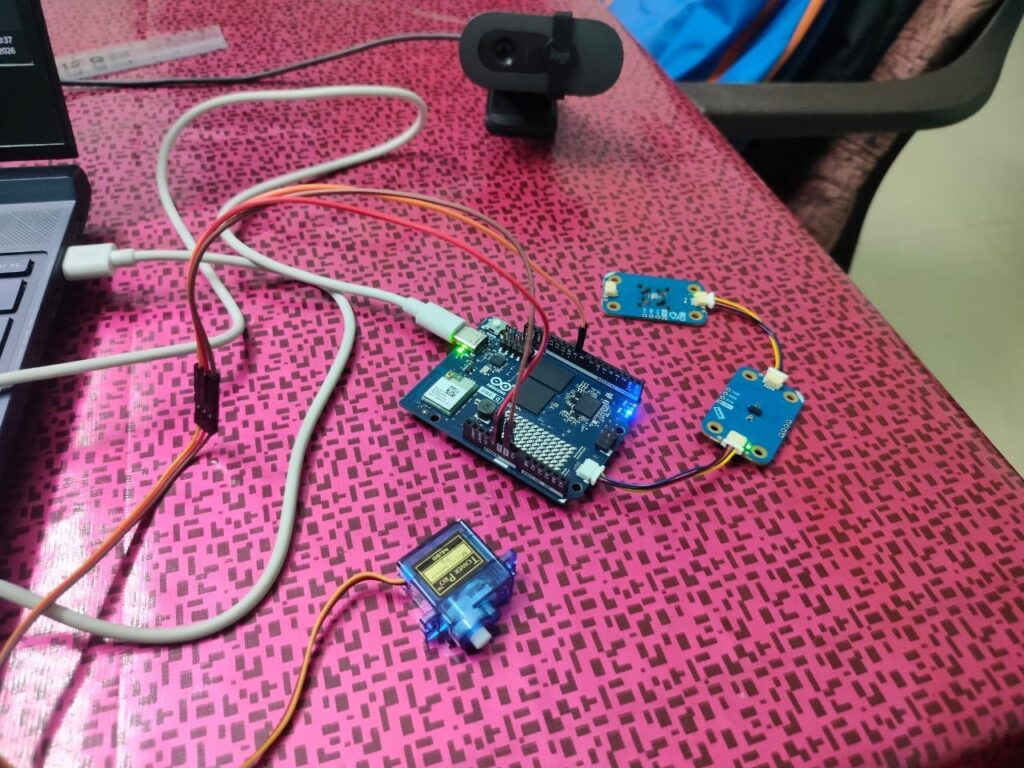
From installing widely available tools like Node-RED to vision-based inspection systems, image processing can run on the Linux side while the microcontroller handles precise triggering and control. This allows you to process complex visual data without sacrificing timing accuracy. You can even process images and short videos with text prompts to generate descriptions or answers, like in this project where local LLMs and VLMs run on UNO Q.
In energy monitoring and smart sensing applications – like this accident response system that leverages physical AI – the MCU continuously samples real-world signals, while the MPU aggregates data, runs analytics, and exposes results through services or dashboards.
Three reasons, one simpler way to build
When you put it all together, UNO Q makes building complex systems simpler for three clear reasons.
First, a single, coordinated setup makes your builds more straightforward and efficient. You have two different brains, each one doing what it’s best at.
Second, the unified application model with Arduino App Lab turns two processors into one coherent development experience. You write, monitor, and debug everything from a single environment – no more switching between terminals, no different hardware for different tasks, no more glue code just to keep the two sides talking.
Third, AI workflows actually fit the system. With Edge Impulse, Qualcomm® AI hub, Hugging Face that can be integrated into the flow, you can go from data collection to a deployed model without rebuilding your stack along the way. The microprocessor runs the inference, the microcontroller handles the signals, and Arduino App Lab keeps them all together using code and Bricks – so edge AI stops being an integration headache and starts being just another part of your application.
Flexibility of Linux, precision of real-time control, and a development ecosystem that is able to handle every side of your next project without you having to jump around between platforms: it’s all in a single board, designed to make building simpler from day one.
Qualcomm branded products are products of Qualcomm Technologies, Inc. and/or its subsidiaries. Arduino and UNO are trademarks or registered trademarks of Arduino S.r.l.
The post One board, two brains? Three ways a dual architecture board makes building simpler appeared first on Arduino Blog.
Read more here: https://blog.arduino.cc/2026/05/07/one-board-two-brains-three-ways-a-dual-architecture-board-makes-building-simpler/